Shrynk

Compress and convert
photos & videos on iPhone

Shrynk compresses photos and videos right on your iPhone. Smaller files, same quality, ready to share in seconds.
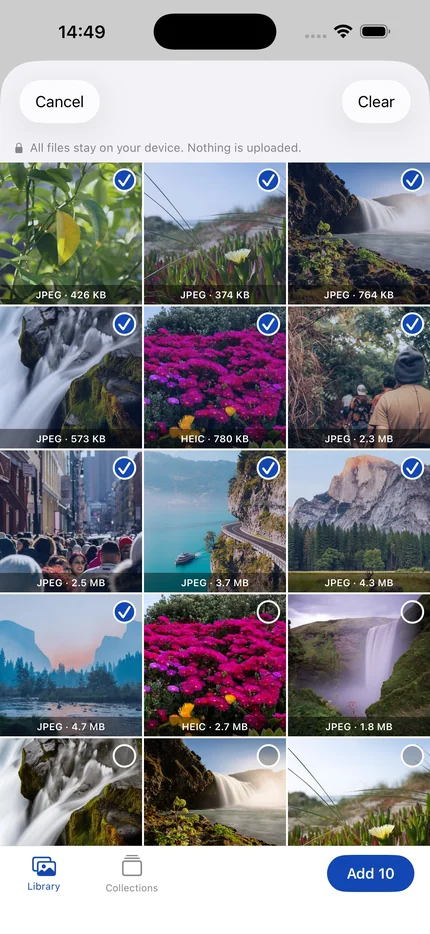
Shrynk photo picker showing photos and videos ready to compress on iPhone
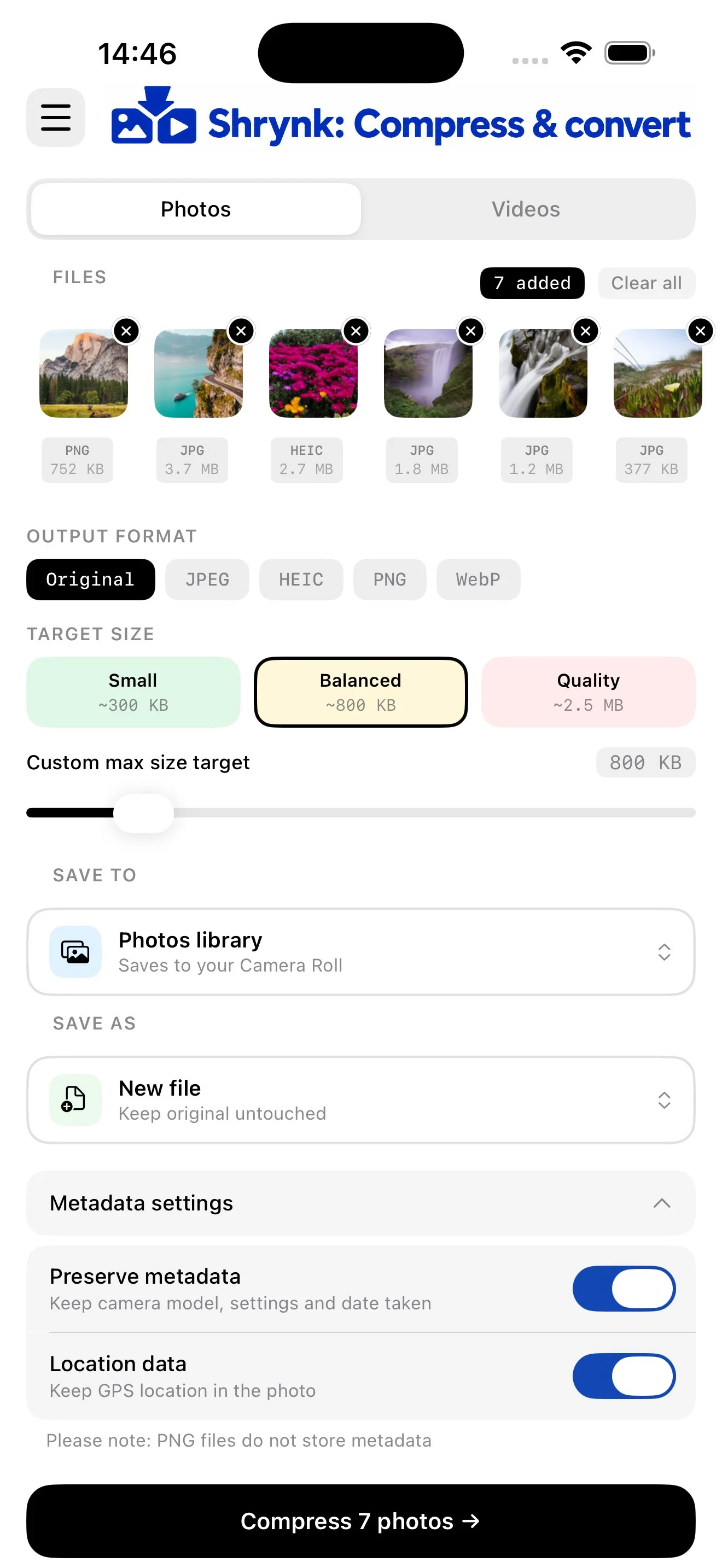
Shrynk compression screen with quality presets and target size options
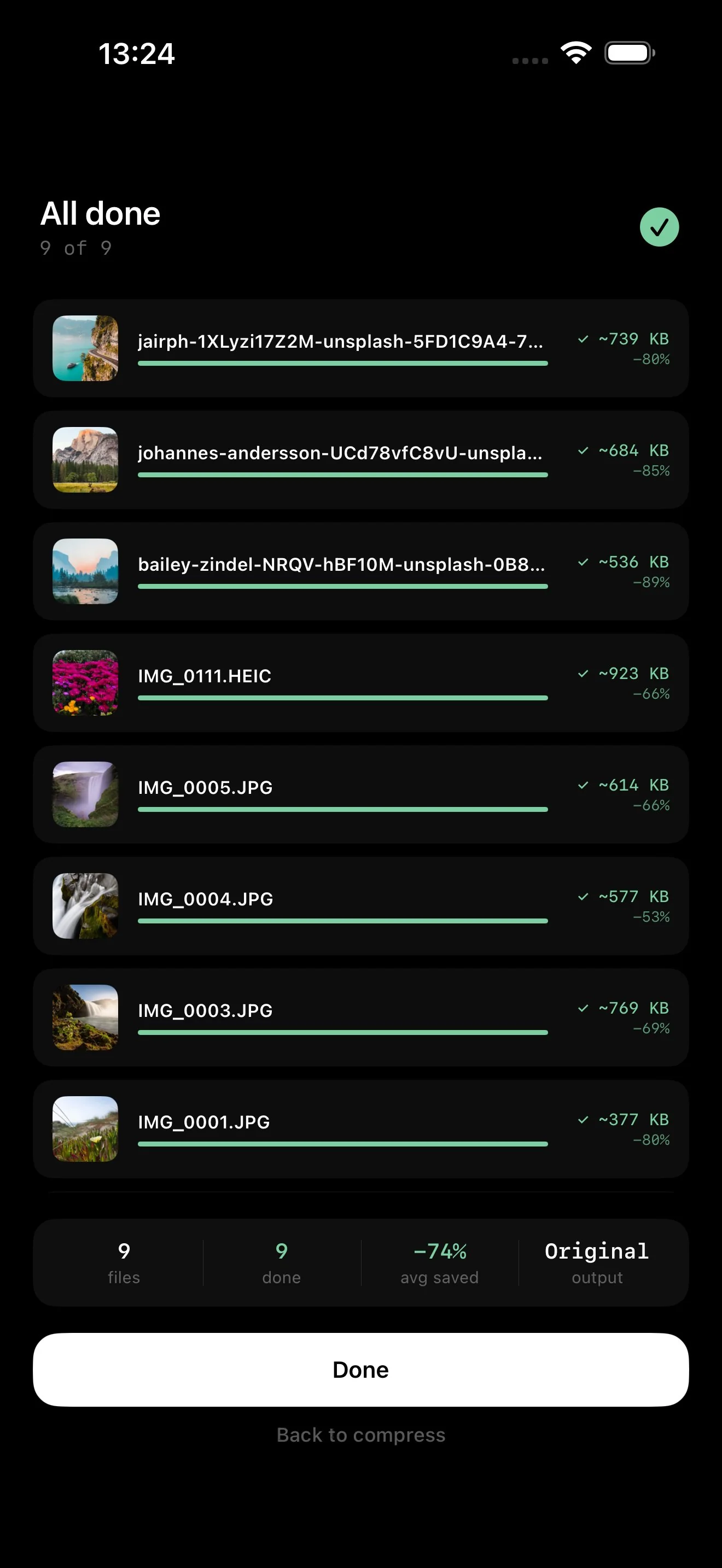
Shrynk results screen showing file size savings after compression
100% on-device, files never leave your phone
No forced ads, ever
Free forever, upgrade for more
Works completely offline

The only compression app
you'll ever need

Everything you need to compress and convert photos and videos, right on your iPhone.

Clear space on your phone

Replace bulky originals with compressed versions and reclaim gigabytes of storage, without losing your memories.

Compress photos and videos from a single app

Photos and videos together, in one batch. Mix file types, apply your settings once, and let Shrynk handle the rest.

Batch compress in seconds

Add multiple photos or video files at once, set your target size, and compress the whole batch in one tap.

Convert to your chosen format

Convert photos to JPEG, HEIC, PNG or WebP, and videos to MP4, MOV or HEVC. One format setting applied to the whole batch.

Free to use, forever

No monthly limits, no trial expiry, no paywall on launch. Compress as many times as you like. Upgrade only if you need bigger batches or conversion to all file formats.

Private: no tracking, no uploads

Everything happens on your device. Your photos never leave your phone. No account, no data collection, no ad tracking.
Features

Everything you need,
nothing you don't

Shrynk handles the hard part, you just pick your files, choose a quality preset, and tap compress.

📸

Photo compression

Compress JPEG, HEIC, PNG and WebP photos and convert between formats in a single batch. Fine-tune output with quality presets or set a custom target file size.
🎬

Video compression

Shrink MP4, MOV and HEVC videos dramatically without sacrificing quality. Output to MP4, MOV or HEVC, and set per-minute quality targets for long recordings.
📦

Batch processing

Add up to 10 photos and videos in a single batch on the free plan, unlimited on Pro. Mix file types freely and process them all in one tap.
📁

Save anywhere

Save compressed files to your Photos library or to any folder in the Files app. Your originals stay untouched and right where you left them.
🔏

Metadata control

You decide what metadata travels with your files. Strip location data and camera details for privacy, or keep capture date, device info and GPS. The choice is always yours.
🔄

Save as new or replace originals

Keep compressed files alongside your originals, or overwrite the source file to free up space immediately. Works with both your Photos library and the Files app.
📤

Share instantly

Send compressed files directly via AirDrop, Messages, Mail or any share sheet app. Smaller files mean faster sends and fewer failed uploads.
☁️

Upload to cloud storage

Save directly to iCloud Drive, Google Drive, Dropbox or any Files app-compatible storage provider. Compressed and ready to upload in one tap.
Pricing

Simple, honest pricing

Shrynk is free to use forever. Upgrade to Pro for unlimited batches, format conversion, and an ad-free experience.

Free
£0
No card needed
Pro
£3.99/mo
£14.99/yr · £19.99 lifetime
Files per batch
10 files
Unlimited
Photo compression
Video compression
Photo format conversion
Original only
JPEG, HEIC, PNG, WebP
Video format conversion
Original only
MP4, MOV, HEVC
Save to Photos / Files
Metadata control
Ads
Non-personalised
None
Download free
Upgrade to Pro
FAQ

Questions, answered

Everything you might want to know about compressing and converting photos and videos with Shrynk.

How do I compress photos on iPhone without losing quality?
Shrynk compresses photos directly on your iPhone using adjustable quality presets or a custom target size. You choose how much to shrink each file, so you stay in control of the balance between file size and quality. Because compression happens on your device, your photos are never uploaded anywhere.
Can I compress videos without uploading them to a server?
Yes. Shrynk compresses MP4, MOV and HEVC videos entirely on your iPhone. Nothing is uploaded to any server, so your videos stay private. You can set per-minute quality targets for long recordings and convert between formats in the same step.
How do I convert HEIC to JPEG on iPhone?
Add your HEIC photos to Shrynk, choose JPEG as the output format, and compress. The app converts and compresses in one step. You can then save the results to your Photos library, the Files app, or share them directly.
Does compressing photos remove location and metadata?
Only if you want it to. Shrynk gives you full control over metadata. You can strip GPS location and camera data for privacy, or keep capture date, device info and coordinates. The choice is yours on every batch.
Is Shrynk free to use?
Yes. Shrynk is free to download and use, with batches of up to 10 files. There is no trial period and no expiry date. An optional Shrynk Pro subscription removes batch size limits and all advertising, available monthly, annually, or as a one-off lifetime purchase.
How does Shrynk free up storage on my iPhone?
Shrynk can reduce photo and video file sizes by up to 90 percent. Using the Replace original option, it overwrites the source file with the compressed version, freeing up space on your device straight away. Always keep a backup before replacing originals.
Download

Start compressing for free

No account, no subscription, no hidden limits. Just download and go.

Download on the App Store